
Cayleidoscope
Finite Group Visualizer
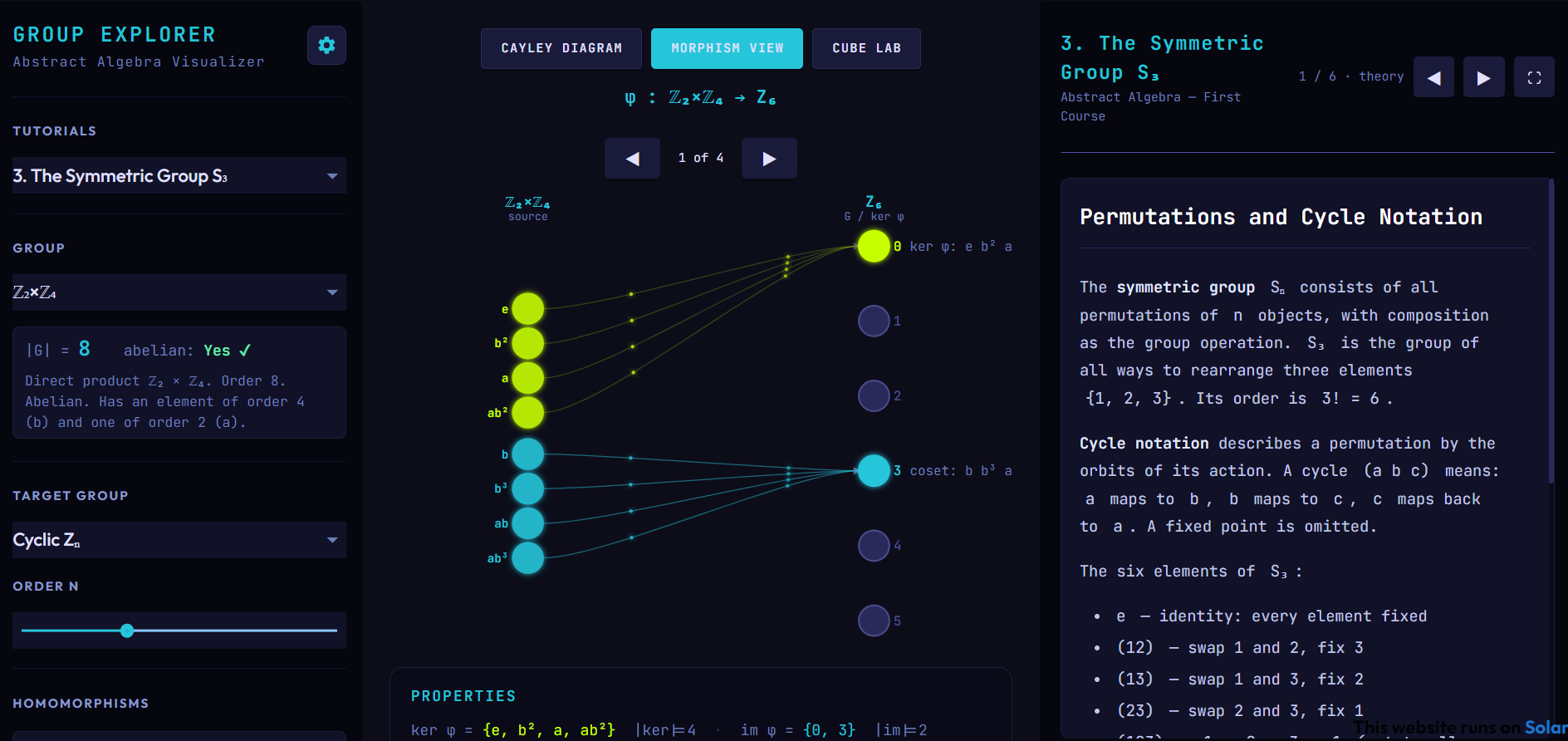
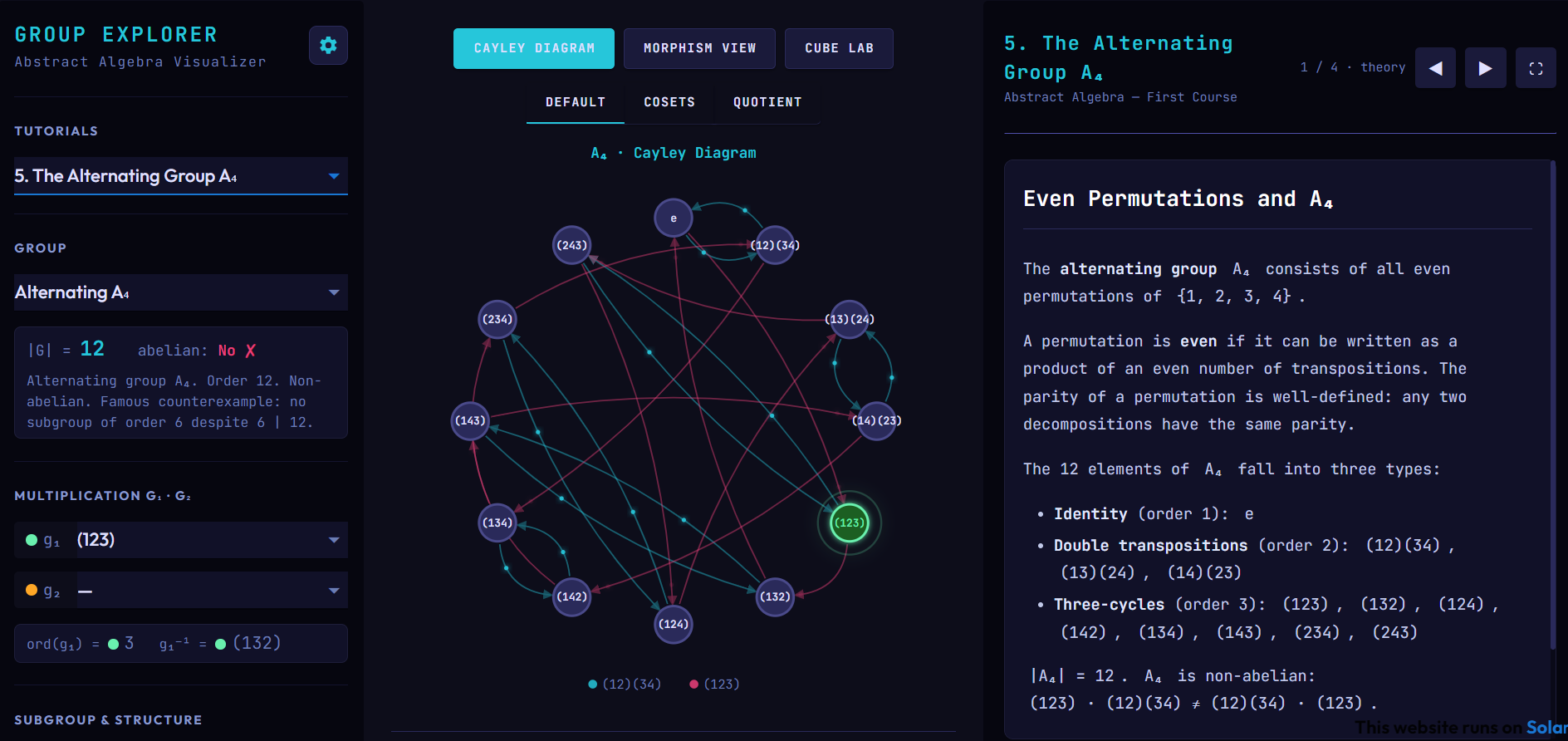
This is an interactive visualizer for finite groups. You can explore Cayley diagrams, multiplication tables, subgroups, conjugacy classes, homomorphisms, and isomorphisms — with a built-in tutorial system that walks through the standard abstract algebra curriculum. This app was built because I wanted to have an interactive lab companion for the group theory section of a "A Book of Abstract Algebra" by C. Pinter.
Cayley Diagram View
- —Cayley diagram — nodes for each group element, colored arrows for each generator
- —Multiplication table — styled HTML panel with highlighted rows/columns and product cell
- —Element selection — pick g₁ and g₂ to see their product, order, and inverse
- —Subgroup highlight — shade the cyclic subgroup ⟨g₁⟩ in the diagram
- —Conjugacy class highlight — shade the conjugacy class of g₁
- —Abelian check — computed live for the active group
- —Animations — particle streams, orbit tracer, and node pulse rings (toggle via ⚙ button)
Morphism View
- —Bipartite diagram — source group on the left, target group on the right, arrows colored by fiber
- —All homomorphisms — enumerate every φ: G → H; navigate with ◀ ▶
- —Fiber coloring — elements sharing the same image get the same color, making coset structure visible
- —Properties panel — kernel, image, injectivity, surjectivity, and type (isomorphism / homomorphism / trivial)
- —Animated particles — flow along each G → H arrow, same animation controls as Cayley view
- —Target group selector — independently choose any supported group as the target
Cube Lab
An interactive Rubik's Cube sandbox that connects hands-on cube manipulation to abstract algebra. The 3D cube (Three.js) and 2D face net update live as you enter move sequences; a properties panel computes the relevant algebraic data automatically.
Five modes, each focusing on a different group-theoretic concept:
- —Conjugation — enter a sequence s and a move g; the lab applies g s g⁻¹ and shows how conjugation relocates the effect of s to a different part of the cube. Demonstrates why conjugate elements have the same order.
- —Commutator — pick two moves g and h; the lab computes [g, h] = g h g⁻¹ h⁻¹ and highlights which pieces move. Shows that commutators always have even parity and that adjacent face moves produce small targeted permutations (the Sexy Move [R, U]).
- —Order — enter a sequence and step through it one application at a time with Apply ×1; the step counter n shows when the cube returns to solved. The properties panel computes the theoretical order instantly via the LCM of cycle lengths.
- —Parity — shows the parity (even/odd) of any sequence via the homomorphism φ: G → ℤ₂. A move-parity grid labels all 18 standard moves E/O. Three Impossible State buttons create states that violate the cube's invariants.
- —Generators — toggle which face moves are active; BFS counts exactly how many states are reachable using only those moves. Demonstrates subgroup structure and Lagrange's theorem — every count divides |G| ≈ 4.3 × 10¹⁹.
Supported Groups
| Selector | Group | Order | Abelian | Notes |
|---|---|---|---|---|
| Cyclic Zₙ | ℤₙ | n (2–14) | Yes | Integers mod n under addition |
| Dihedral Dₙ | Dₙ | 2n (n=3–8) | No (n≥3) | Symmetries of a regular n-gon |
| Symmetric S₃ | S₃ | 6 | No | All permutations of 123; isomorphic to D₃ |
| Klein V₄ | V₄ ≅ ℤ₂×ℤ₂ | 4 | Yes | Smallest non-cyclic abelian group |
Things to Try
Cayley diagram:
- —Z₆, g₁=2, enable subgroup → ⟨2⟩=024, order 3 — Lagrange's theorem in action
- —D₄, g₁=r, g₂=s, note the product; swap g₁↔g₂ → different result (non-abelian)
- —S₃, find all element orders (1, 2, 3) — each divides |G|=6
- —V₄, every non-identity element has order 2; no element generates the whole group
Morphism view:
- —Z₆ → Z₃: 3 homomorphisms — two surjective (2-to-1 fibers) and one trivial
- —Z₃ → Z₆: injective embedding into the subgroup 024
- —S₃ → Z₂: the sign homomorphism; kernel = A₃ (alternating group)
- —S₃ → D₃: 6 isomorphisms — confirms S₃ ≅ D₃
- —Z₄ → V₄: no isomorphism exists; element order invariant distinguishes them
General
- —Resizable panels — drag the sidebar or tutorial panel edges to resize
- —Tutorial system — step through curated lesson sequences that auto-configure both views; switch between Cayley, Morphism, and Cube Lab freely during a tutorial
- —Tutorial files — JSON files in tutorials/ loaded automatically on startup; use the dropdown to switch or the folder button to load from disk